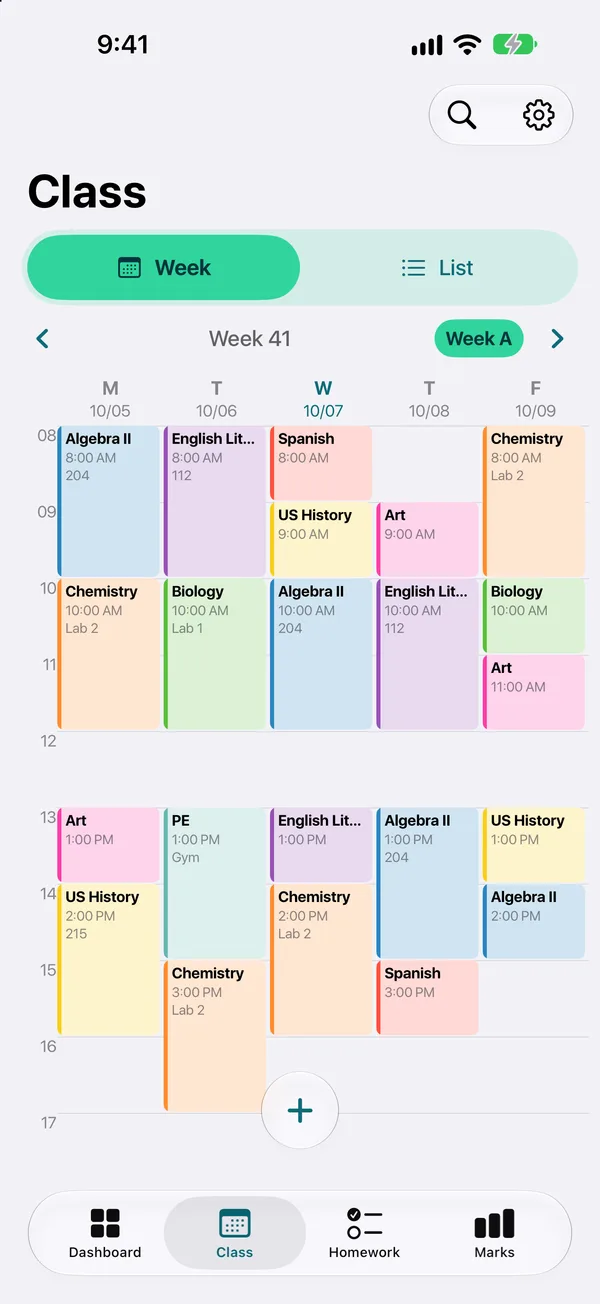
Weekly timetable
A clear week view, or a list for the day. Each class has its colour, room and teacher.
- Week A / week B
- Week view and list view
- Cancel a single class without touching the week
TimeTo is a student planner app made for school, from the first class of the year to the last exam: a weekly timetable, homework and tests sorted by due dates, and averages computed for you.
A clear week view, or a list for the day. Each class has its colour, room and teacher.
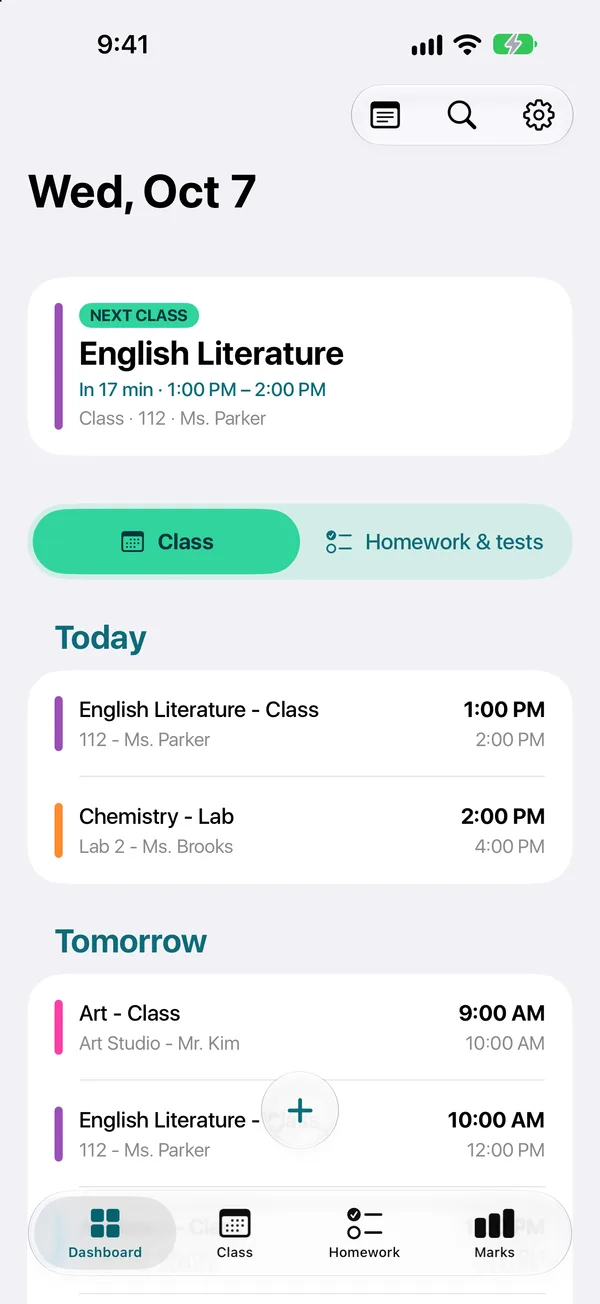
The dashboard shows your next class, what is due soon and your latest grades.
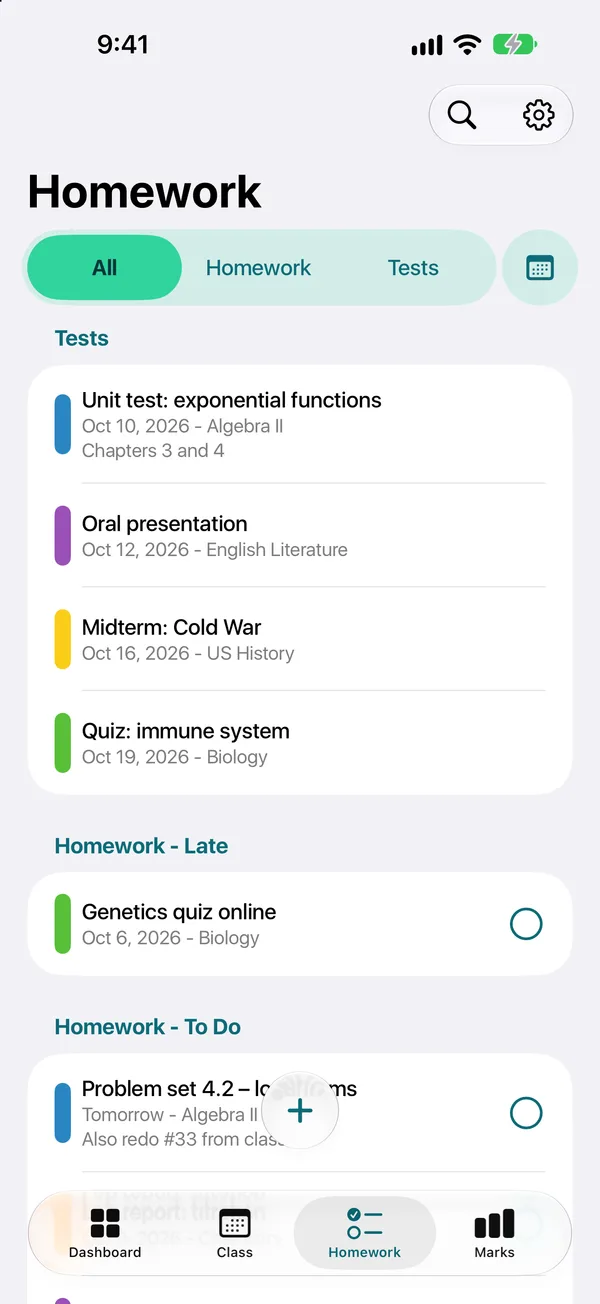
Add an assignment or a test straight from the class. TimeTo sorts everything by due date.
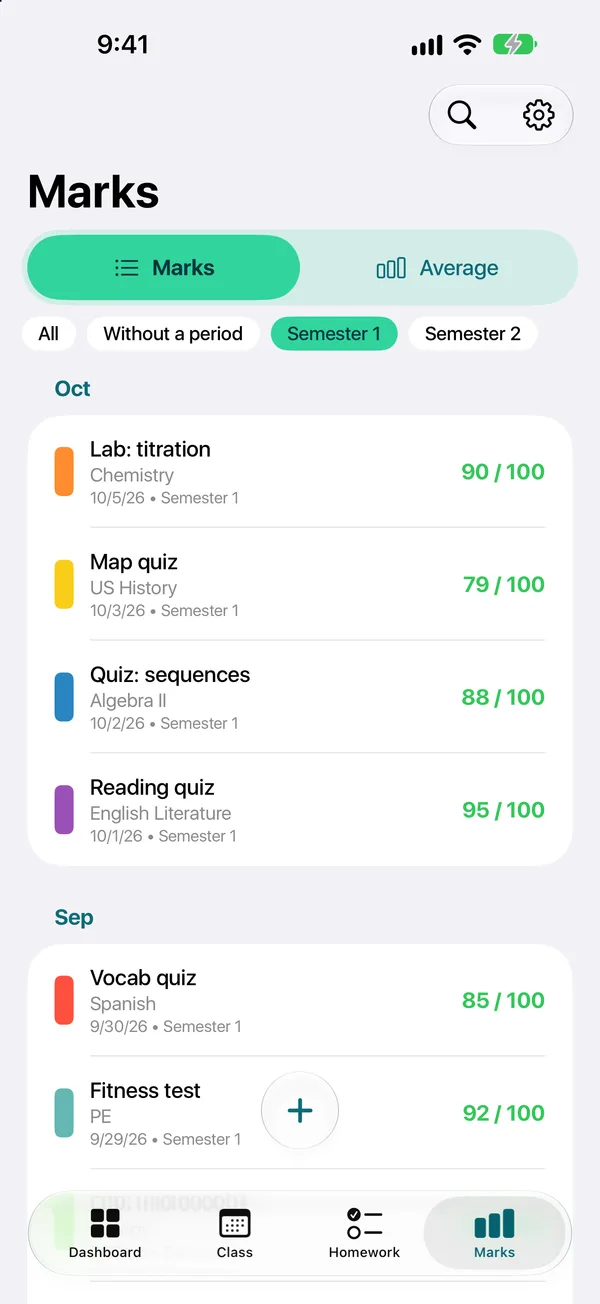
Enter your grades in your school’s system. TimeTo computes the averages for you.
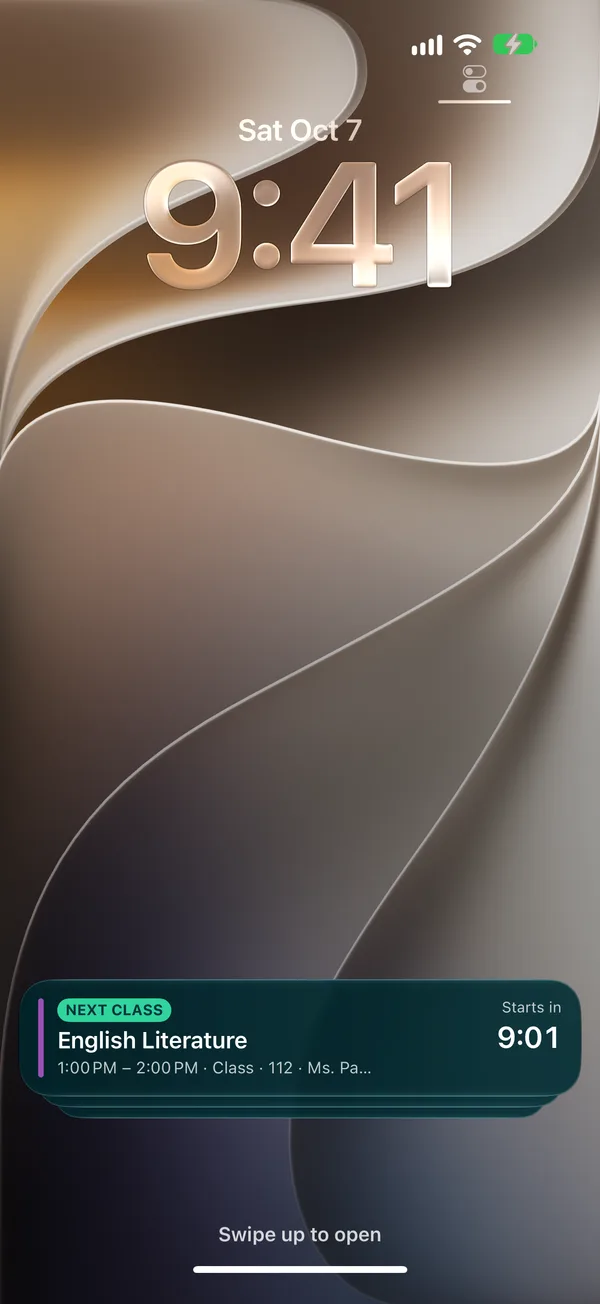
On iPhone, your current class and the next room stay visible on the Lock Screen while the class runs.
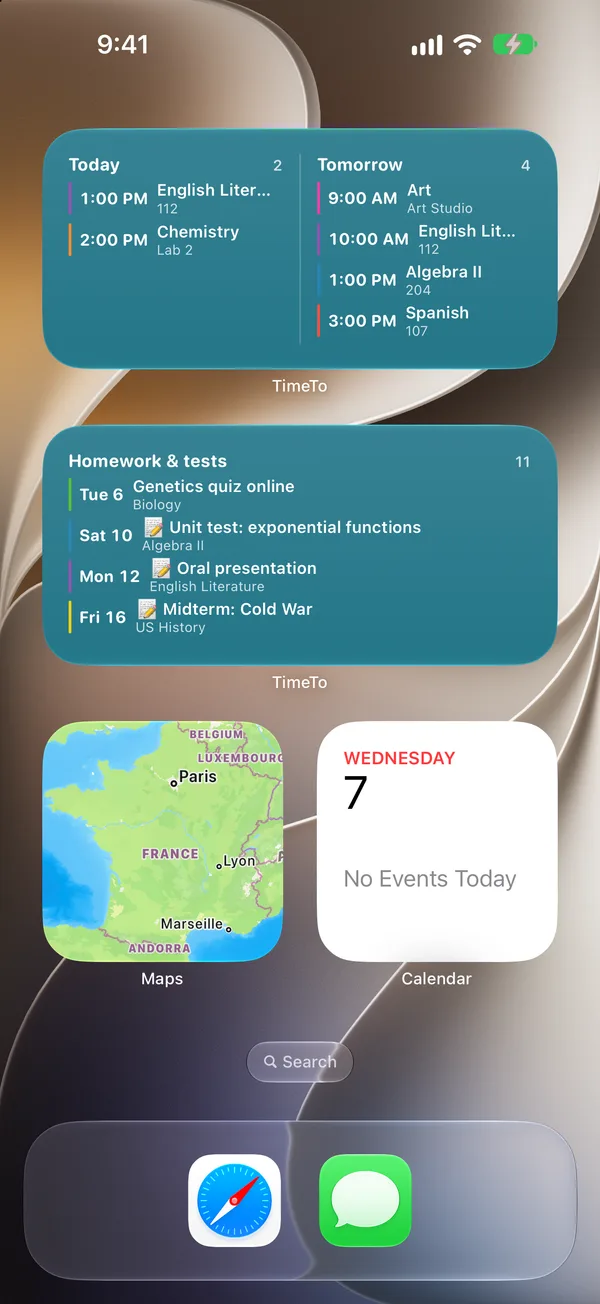
Your timetable where you look anyway: home screen, wrist, day or night.
One account, the same timetable on your phone and tablet.
Share it with a friend or with your family.
Import the calendar link your school provides.
Set school holidays, public holidays and grading periods.
The week view, the current class on the Lock Screen, homework, grades and widgets.
A good student planner app starts from the weekly timetable, because everything else hangs off it. In TimeTo each class has its room, teacher and colour, and homework or a test is added from the class itself, so it lands on the right subject with its due date. Late work is flagged on the dashboard.
Grades work the same way. Enter them in your school’s system, out of 20, out of 10, in percentages or letters, with coefficients, and the averages per subject and per term update on their own. The timetable, homework and tests are free; the optional Premium subscription adds unlimited grades, A/B weeks, reminders, homework photos, sync, sharing and family access, and removes ads.
Then the student planner app shows up where you already look. On iPhone the current class and the next room stay on the Lock Screen and in the Dynamic Island, home screen widgets list today’s classes and pending homework, and the Apple Watch app puts the next class on your wrist. TimeTo also runs on iPad and on Android phones.
Not sure you need a student planner app at all? See how it compares with a paper planner and a calendar app, or download it for free and set up your week in a few minutes.