· By Olivier Bernal
Revision timetable template: free PDF and how-to
A free revision timetable template (PDF) and a 5-step method for GCSEs, A-levels and mocks: plan back from your exam dates and revise each topic more than once.

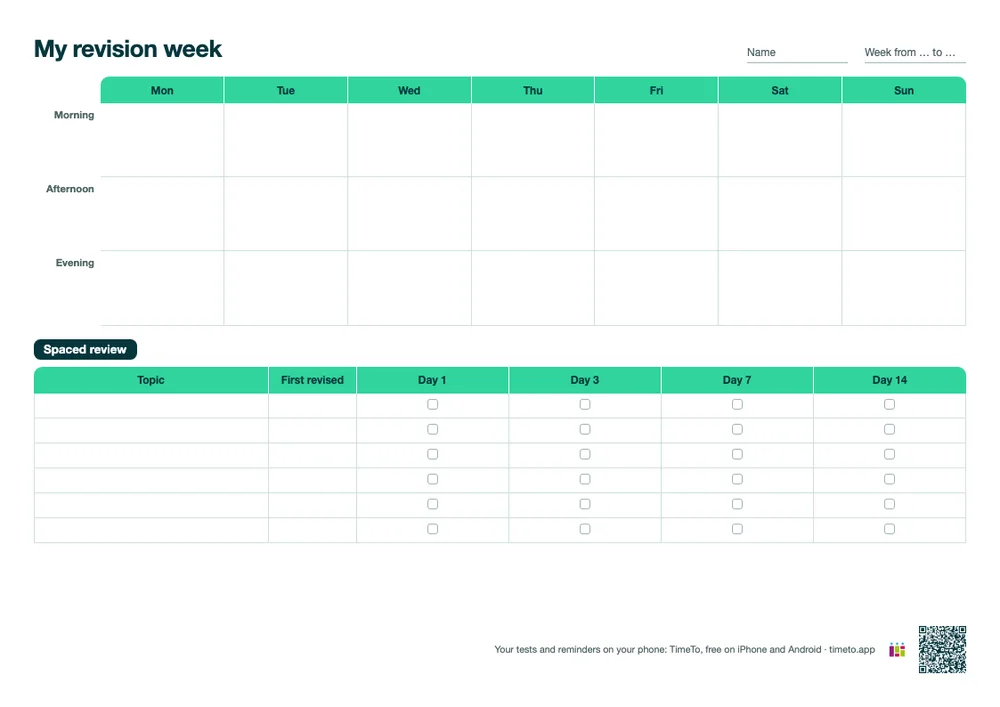
Download the free template: revision timetable (PDF, 2 pages, A4). Page 1 lists your exams next to a four-week overview. Page 2 is one week (morning, afternoon, evening) with a tracker to review each topic on day 1, 3, 7 and 14. Whether you are sitting GCSE or A-level exams or your mocks, the method fits in one line: start from your exam dates and revise all your subjects more than once.
A revision timetable is what turns “I’ll start at the weekend” into revision that actually moves forward. Mocks in December or January, GCSEs and A-levels in the summer: the idea is the same each time. List your subjects, count the days you have left, and spread the work before the last week overflows. Below you will find the printable template, a five-step method and a filled-in example.
What is in this revision timetable template
- Page 1, your exams and your next four weeks. On the left, a list of exams: subject, date, topics to revise. On the right, four weeks from Monday to Sunday, with boxes big enough for two subjects a day.
- Page 2, your revision week. Morning, afternoon and evening for each day, and under it a “Spaced review” table: write the topic, the day you first revised it, and tick day 1, 3, 7 and 14 as you go.
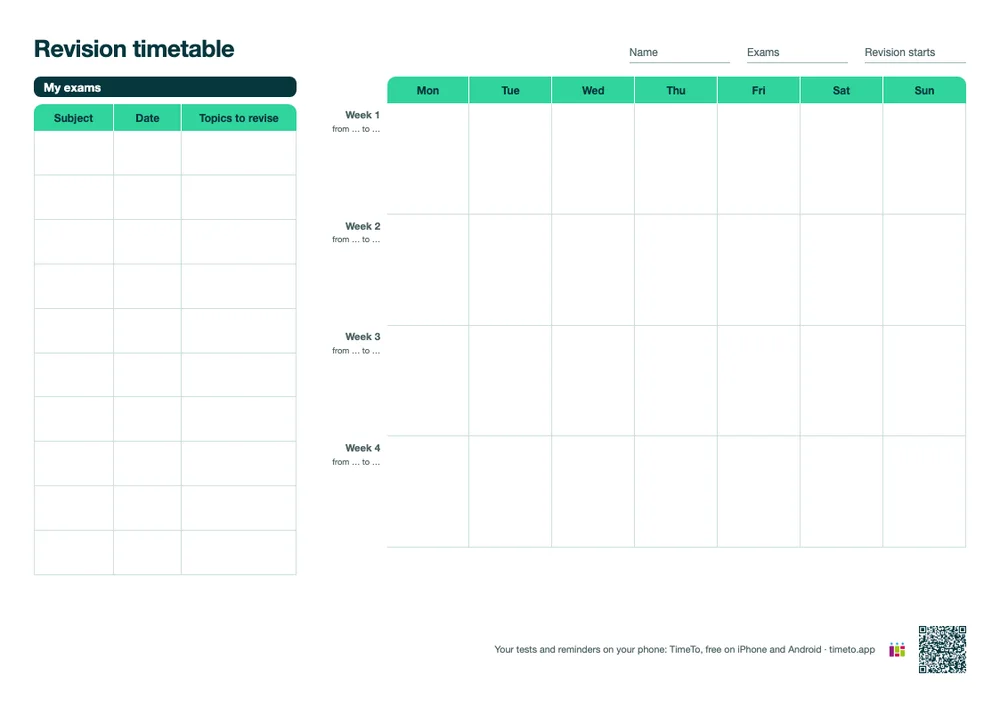
It prints on A4 landscape, and the green headers stay readable in black and white. On US Letter, choose “fit to page” in the print dialog.
How to make a revision timetable in 5 steps
- List your exams. Subject, date and the topics on the specification. For mocks, start from the list your teachers give you, not from memory.
- Start from the exam dates and work backwards. Count the weeks you have left. Keep the final week for reviewing and past papers, not for learning a topic for the first time.
- Break each subject into small chunks. “Revise maths” never gets ticked off. “Quadratics, questions 1 to 10” gets done in one session.
- Put two subjects in each day and alternate them. Sessions of 45 minutes to an hour, with breaks in between. Alternating stops you spending a whole day on the subject you like least.
- Leave room to come back. Every topic you revise shows up again later in your revision timetable, and one free slot a week soaks up anything that slips. A day off on Sunday is part of the plan.
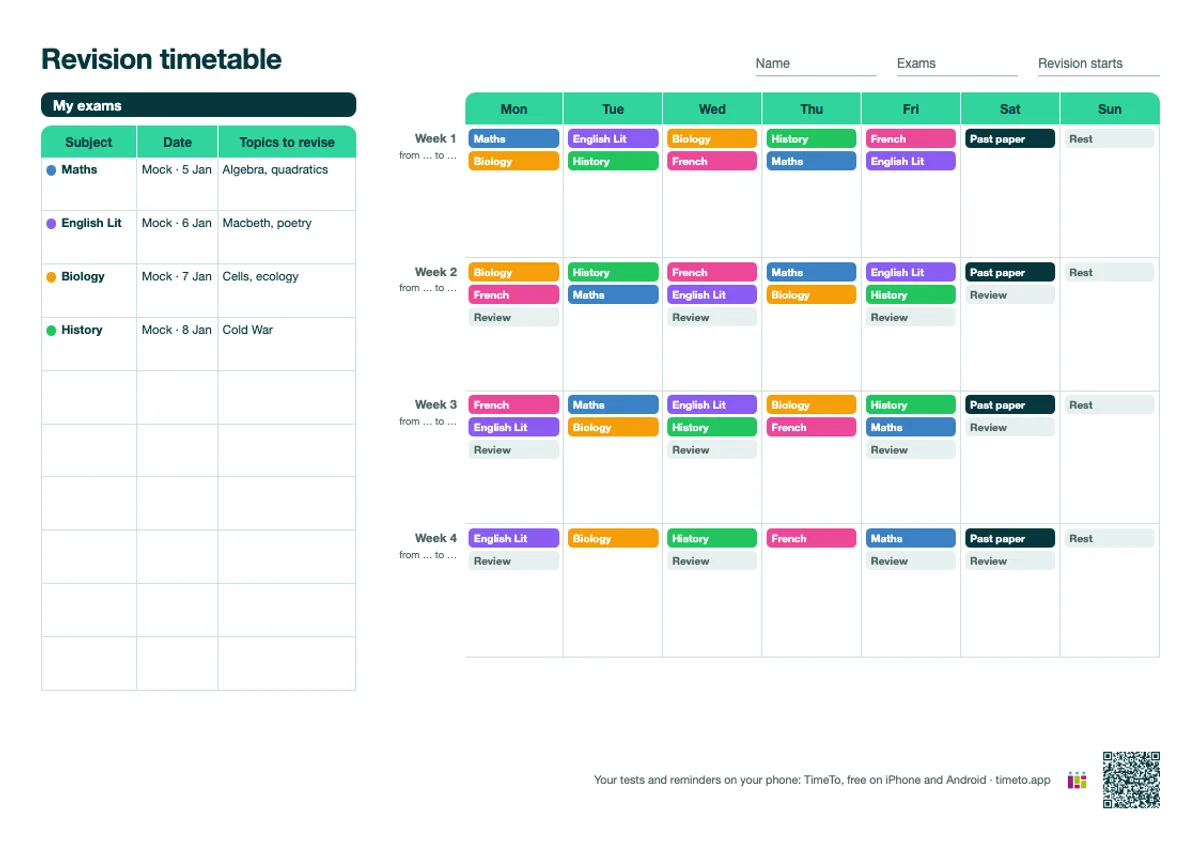
Here is what the revision planner looks like once it is filled in, for four mocks in early January: two subjects a day, a past paper every Saturday, short review sessions from week 2, and Sunday off.
Why a revision schedule beats cramming
In 2013, a team of psychologists led by John Dunlosky compared ten techniques students use to learn (Improving Students’ Learning With Effective Learning Techniques). Only two got their top rating: spreading practice out over time, and testing yourself. Rereading and highlighting came near the bottom.
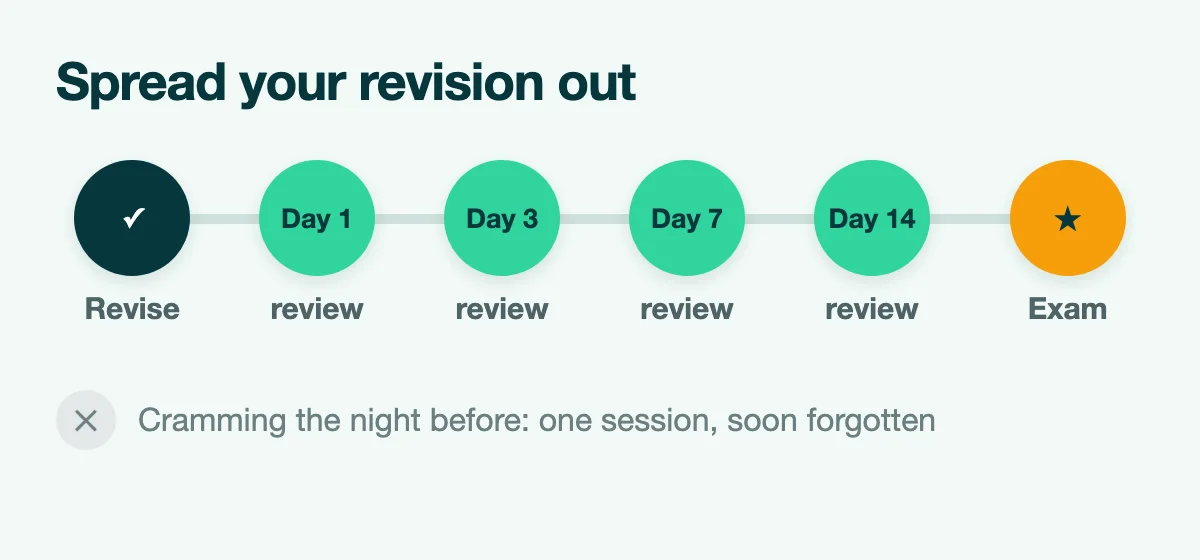
On your revision timetable, that means a topic you revise on Monday comes back on Tuesday, then a few days later, then the following week. That is spaced repetition, and the day 1, 3, 7 and 14 intervals on the template are not a magic rule, just an easy marker to tick. Each time, test yourself: redo a question without looking at the mark scheme, explain a topic out loud from memory, or sit a past paper under timed conditions.
A revision timetable for GCSE, A-level or mock exams
- GCSE exams. In Year 11 you may sit nine or ten GCSE subjects, so the four-week overview fills up fast. Start with the subjects you find hardest, and give every subject at least one slot a week.
- A-level exams. Fewer subjects, but each one is deeper. Plan longer sessions, and more past papers as the summer gets closer.
- Mocks. Treat them as a dress rehearsal. The study timetable you build for your mocks is your first draft for the summer: you already know how long each subject takes you.
Before you share out your time, check where you stand. Our weighted grade calculator shows the score you need on the next test to reach your target, and a subject that counts for more deserves more slots.
Your mocks start in three weeks and you have four subjects. Which plan works best?
Spreading practice over time and testing yourself on each topic are the two techniques the research rates highest. One subject a week leaves the first one half forgotten by exam day.
Your tests and revision sessions in TimeTo
Paper shows you the plan. To get reminded of what comes next, put your dates into TimeTo: each exam goes into the Homework tab as a test, with its subject, date and a note for the topics to revise. Tests have their own filter next to homework, and you can set a reminder on each one, the day before by default.

Block your revision sessions in TimeTo
Since the latest update, revision sessions have a place in your timetable. When you add a test, TimeTo suggests a revision timetable for it: a 45-minute session 2 weeks, 1 week, 3 days and 1 day before, placed 15 minutes after a class ends and finished before 9 pm. On a day without classes it starts at 10 am. Change the time or length, add or remove sessions, then confirm.

Sessions show as dashed blocks in the week grid, weekends included, on the home screen, in the Revision sessions widget and on Apple Watch. Homework due in 5 days or more can get its own prep sessions too. Sessions, your timetable, homework and tests are free. Reminders before each class or session and the weekly summary are part of the optional Premium subscription.
In short
A good plan starts from your exam dates, breaks every subject into small chunks and brings each topic back several times. Print the PDF template, fill in page 1 tonight, and keep your class schedule template next to it so revision fits around lessons. If your school runs a two-week timetable, check whether it is week 1 or week 2 first. And to keep your tests in your pocket, download TimeTo.