· By Olivier Bernal
Timetable maker: free online class timetable
A free timetable maker for school: type your subjects, rooms and period times, add week A and week B, then print it or save a PDF. No sign-up, no download.
To use this timetable maker, fill in the grid below: one subject and one room per box, your period times in the left column. Tick “Week A / week B” if your school runs a two-week timetable, then print it or save it as a PDF. It is free, there is no sign-up, and nothing leaves your browser.
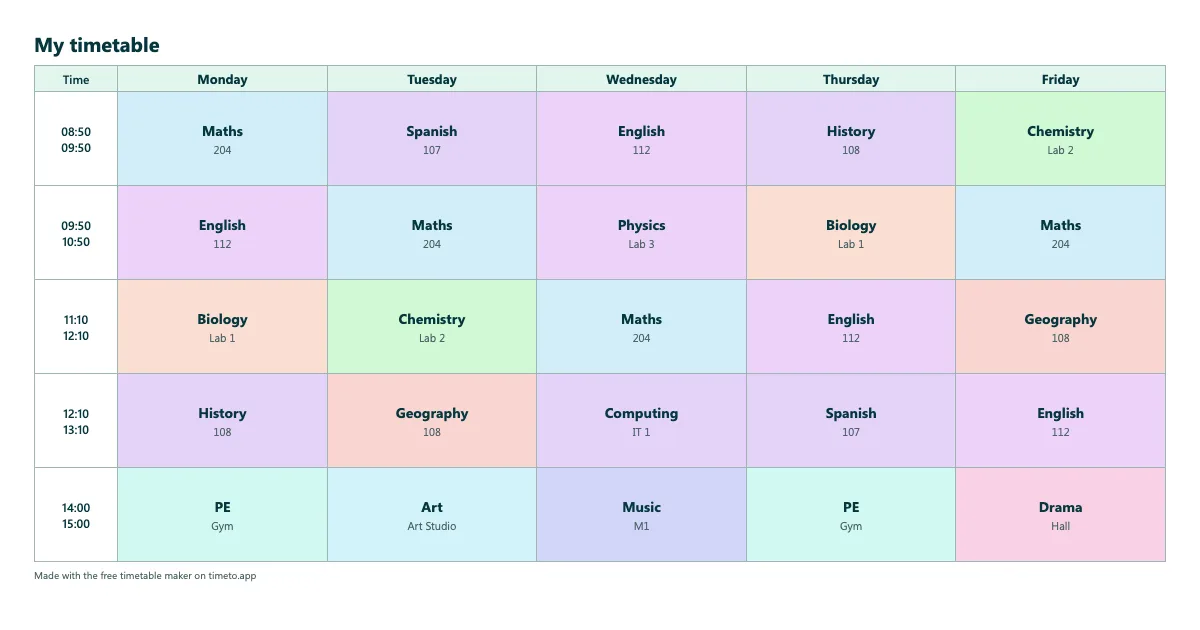
This free timetable maker turns the sheet you got on the first day of term into a clean, colour-coded week in about five minutes. Each subject gets its own colour automatically, so you can read the week at a glance, and you can add the room under every lesson. When the grid is done, print it in landscape for your folder or your bedroom wall, or keep the PDF on your phone. If you are in the US, it works just as well as a class schedule maker for middle school, high school or college.
Timetable maker
Your timetable is saved in this browser only. Nothing is sent, no account needed.
How to make a school timetable in 5 steps
- Pick your school days: Monday to Friday, or Monday to Saturday if you have Saturday lessons.
- Set your period times in the left column. The timetable maker starts from a typical UK school day, 8:50 to 3:00 with break and lunch. Add a period or remove the extra ones to match your school.
- Type the subject in each box, then the room underneath. Subjects you have already typed are suggested, and the same subject always keeps the same colour.
- Mark the gaps: leave free periods empty, or write “Study” or “Library” so you can spot them.
- Name your timetable, for example “Year 9, 2026-27”, and print it.
To check that nothing is missing, add up your hours. In England, the Department for Education expects mainstream state schools to run a school week of at least 32.5 hours, break and lunch included. If your grid looks short, you have probably missed a lesson that only happens every other week, or a tutor period.
Timetable maker with week A and week B
Many secondary schools run a two-week timetable, so that subjects with an odd number of hours fit into real lessons. Tick “Week A / week B”: a second tab appears, already filled with a copy of week A. Only change the lessons that alternate, usually two or three boxes. When you print, each week gets its own page.
Not sure which week it is right now? Our guide is it week 1 or week 2 shows where to check and works out the letter for you.
Your school runs a two-week timetable. What is the fastest way to fill in week B with this tool?
The week B tab starts as a copy of week A. You only change the lessons that differ from one week to the next, usually two or three boxes.
Print your timetable or save it as a PDF
The “Print or save as PDF” button opens the print window with the grid alone, in landscape, without the rest of the page. On a computer, choose “Save as PDF” instead of a printer to keep a file. On a phone, the same window usually lets you share or save the PDF, depending on the browser.
Prefer a pen? Our free class schedule template is a two-page PDF with a blank grid and a week A / week B sheet, plus a version that already has the times on it.
Create a class schedule you can check on your phone
A printed sheet does not tell you what is next. TimeTo, our timetable app, shows your next lesson and its room on the Home Screen with widgets, and keeps homework and tests by subject. The app does not read the grid you made on this page: you enter your lessons once, or subscribe to your school’s calendar feed. The timetable and homework are free. Week A / week B and lesson reminders are part of the optional Premium subscription.
Once your lessons are set, our homework planner template helps you plan the week around them.
In short
A timetable maker saves you from drawing the grid by hand: pick your days, set the period times, type a subject and a room in each box, then print it or save the PDF. Tick week A and week B if your school alternates, and count your hours so nothing is missing. Your timetable stays in this browser, nothing is sent anywhere.